
A schedule that refuses conflicts
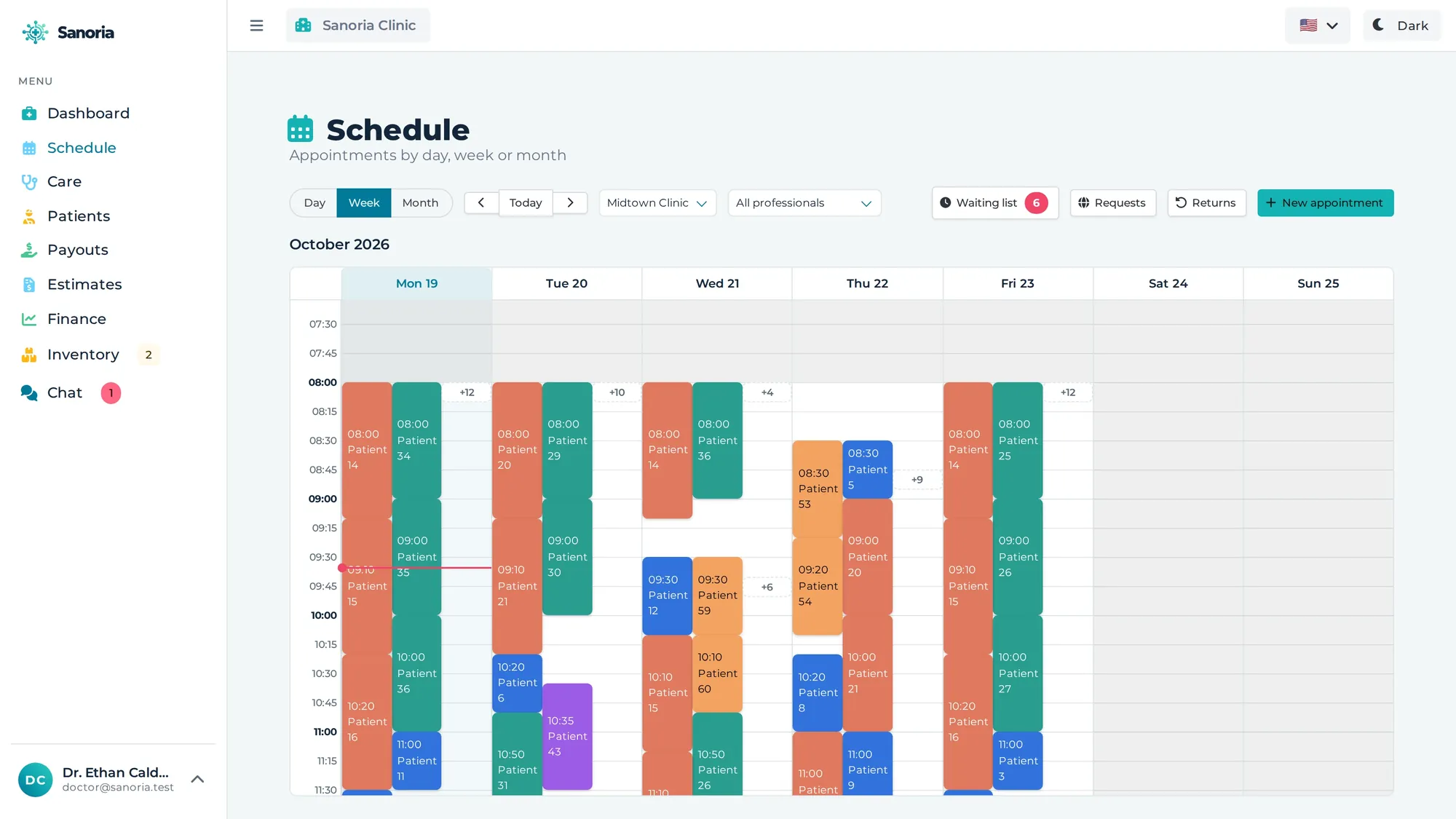
Day, week and month, with one colour per professional. Rooms are exclusive, national holidays block the day, and the work schedule decides what can be booked.

Conflict-free scheduling, electronic charting with signatures, prescriptions and certificates with a verification code, and the metrics that matter — all in the browser. From a solo practice to a network of clinics.
14 days free · no credit card · nothing to install
No side spreadsheet, no notebook at the front desk, no separate system for each job.
Day, week and month, with one colour per professional. Rooms are exclusive, national holidays block the day, and the work schedule decides what can be booked.
A visit timer, several documents per visit, ready-made templates (SOAP, history and physical, progress note) and a signature that locks the text for good.
Prescriptions, certificates, lab orders and referrals — on the clinic letterhead, with a public verification code.
Patient, specialty, professional and procedure — Sanoria shows who is free this week, and the duration comes from the procedure itself.
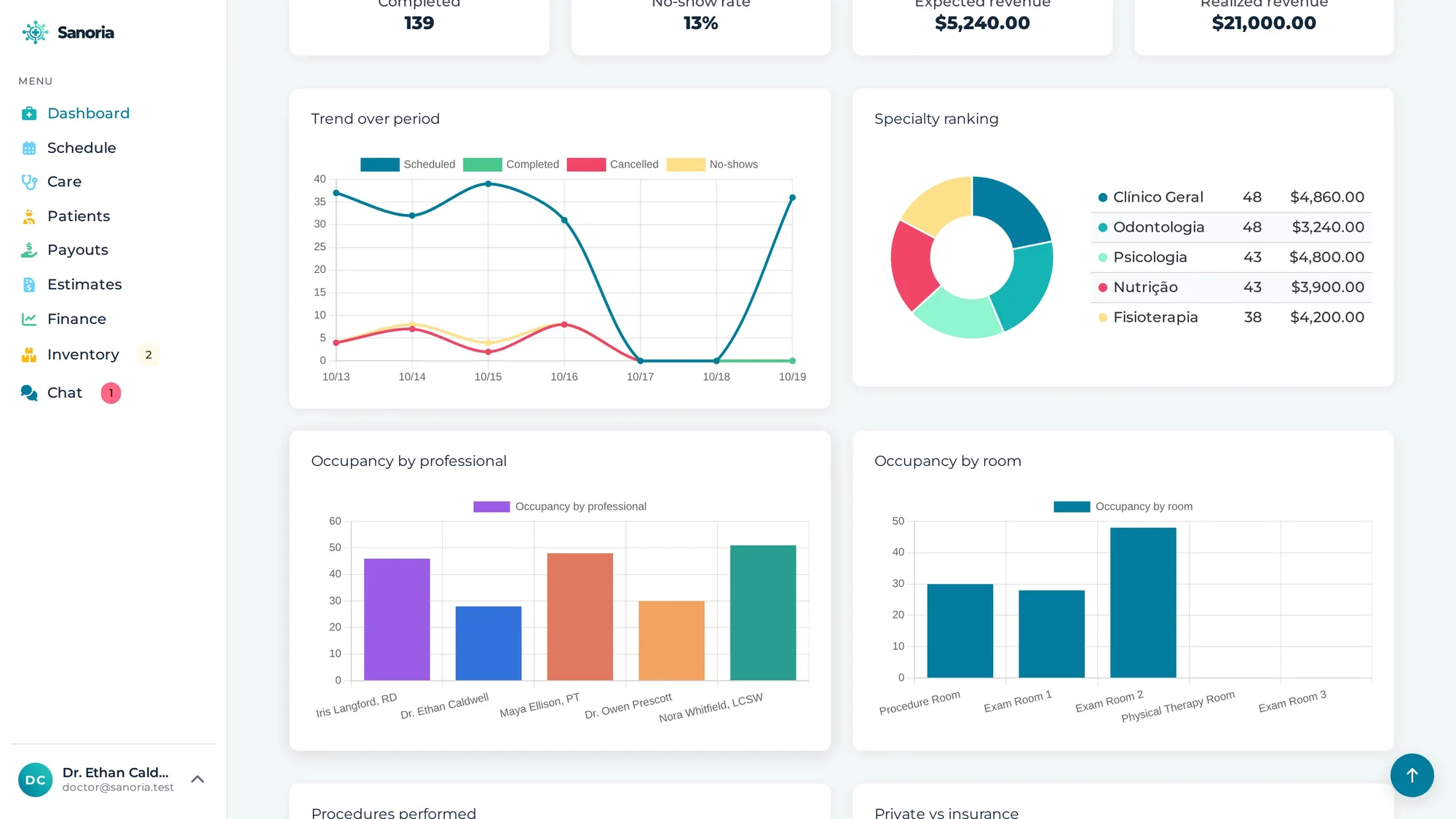
Utilisation by professional and by room, no-show rate, expected versus collected revenue, and the specialty ranking for the period.
Owner, partner, manager, front desk and professional. Roles stack, and whoever does not treat patients simply has no schedule.
Search by name, document, phone or member number; guardians for minors; session packages and insurers with their registration code.
One colour per professional, the day in columns and the month at a glance. The front desk sees what is free without asking anyone.
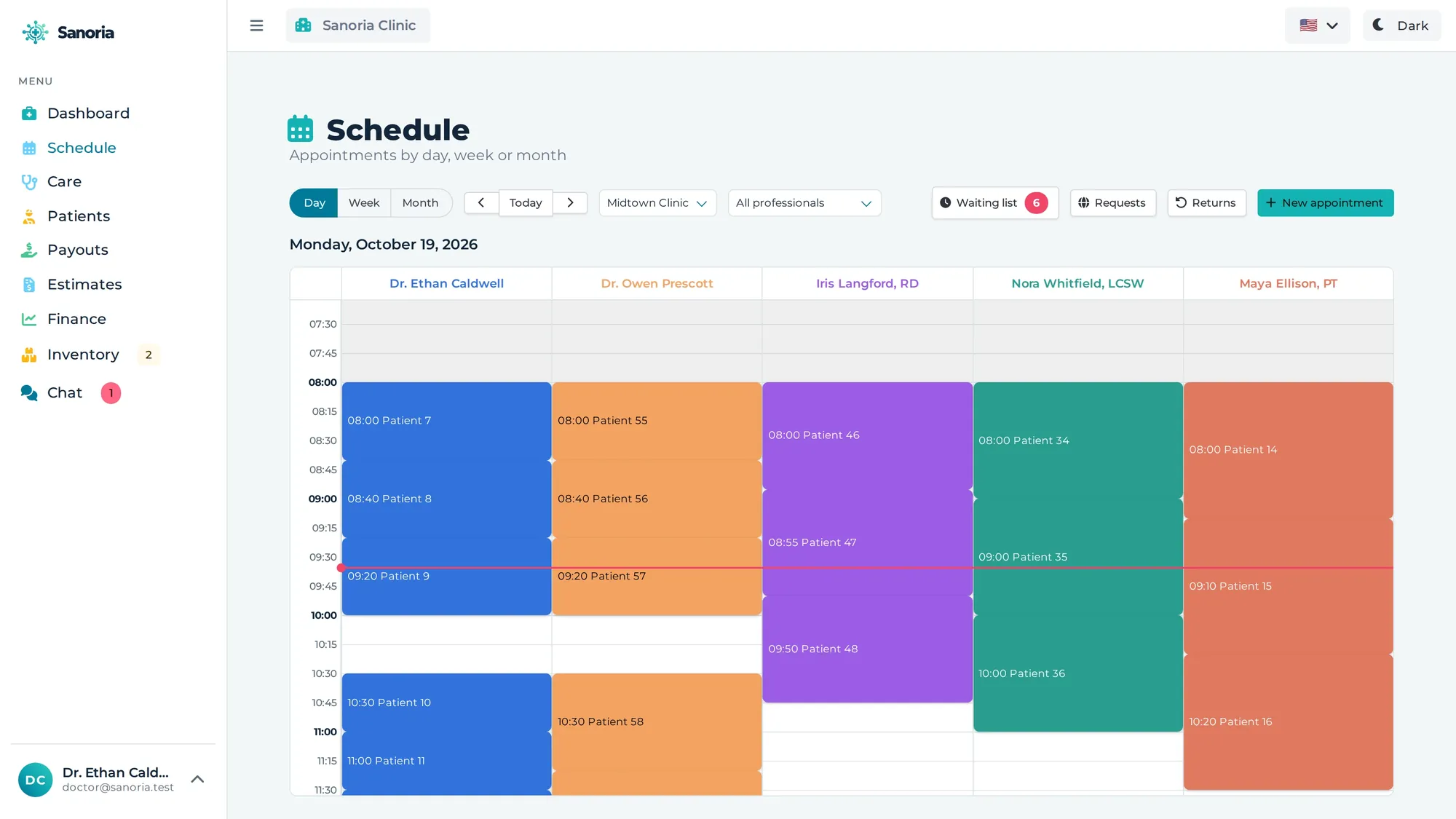
The timer runs with the visit, the text starts from a template and the signature locks the record — with the whole patient history on one timeline.
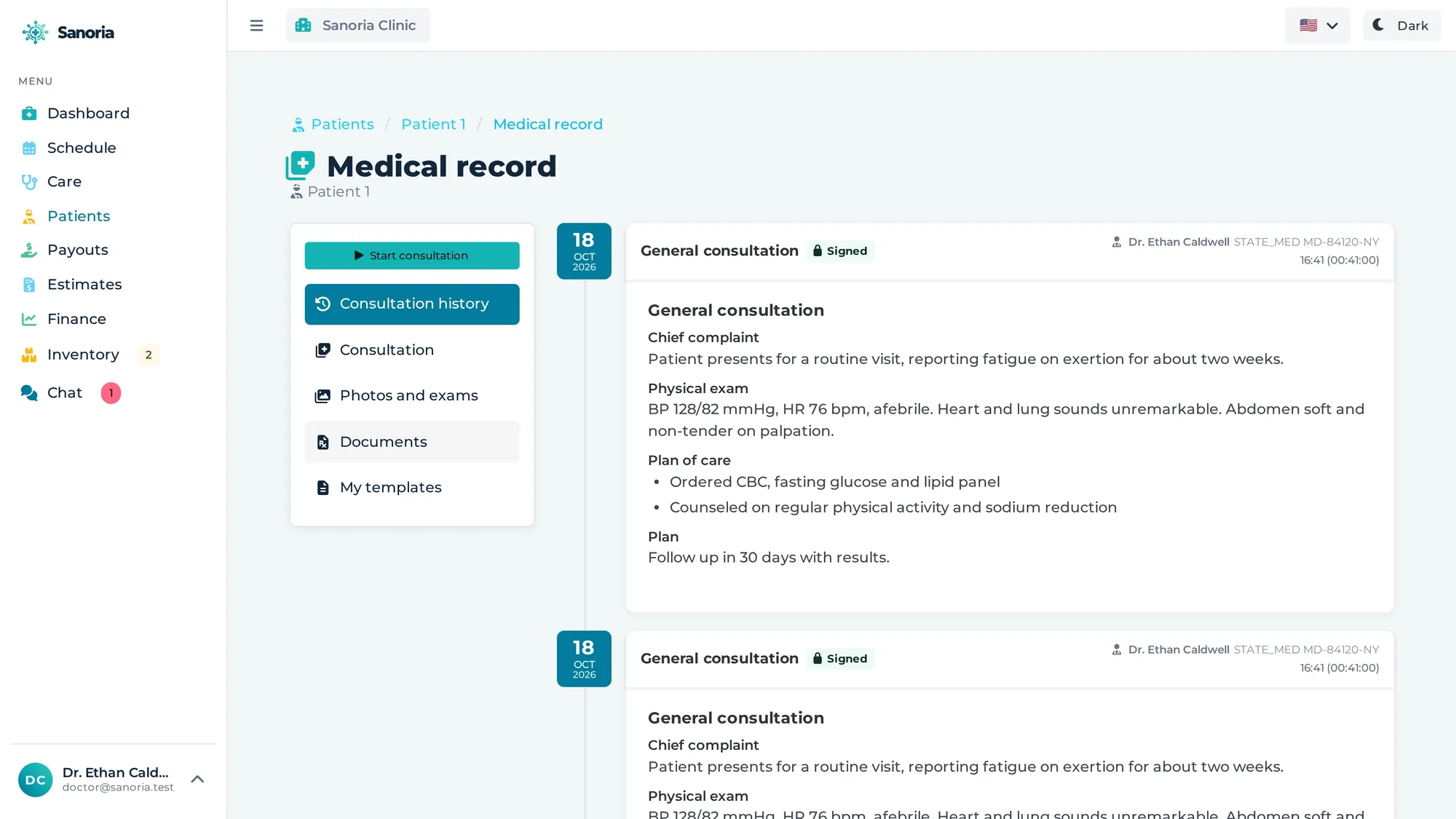
Who confirmed, who arrived, who is in the room. One click opens the chart of the patient who just walked in.
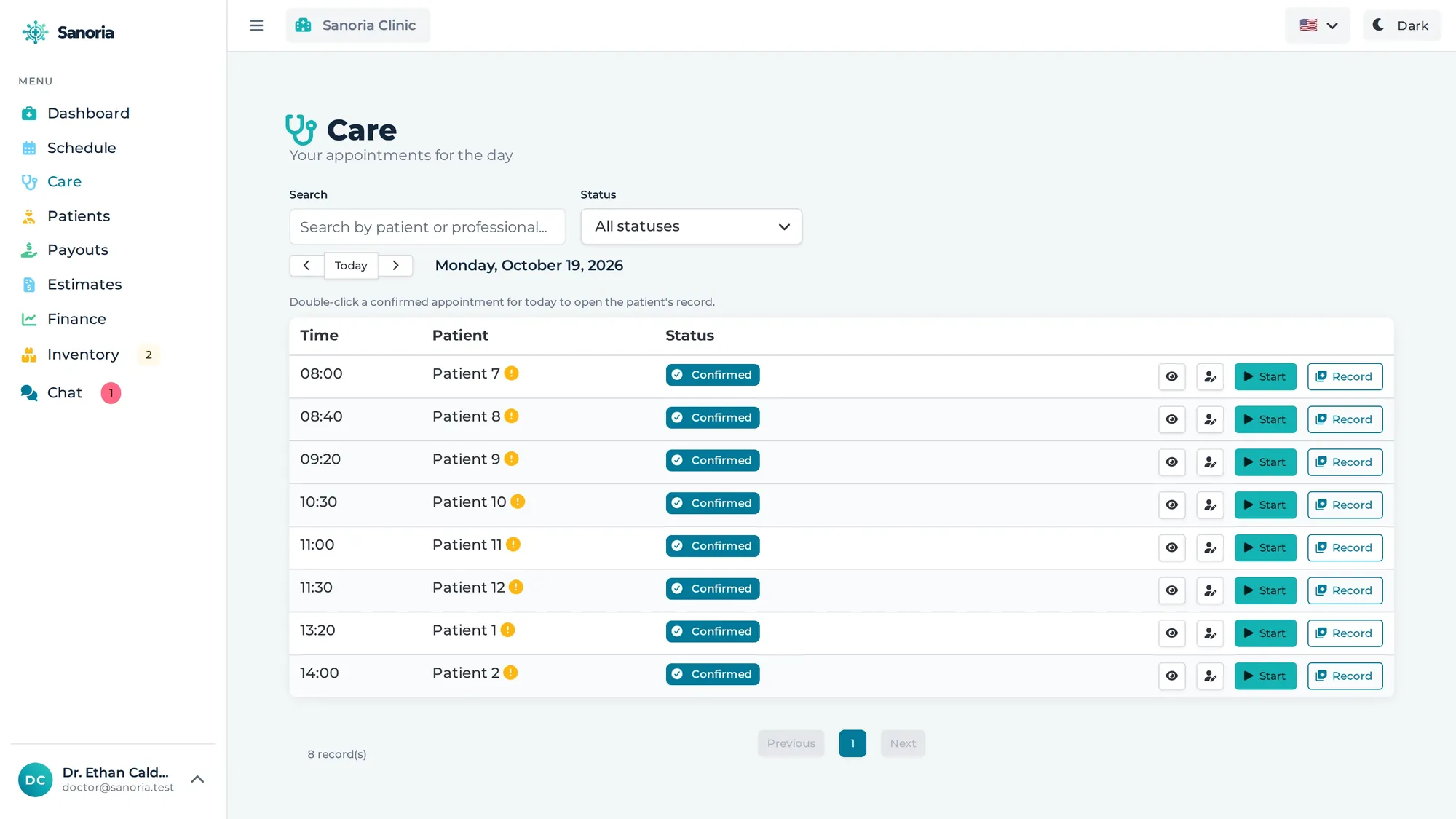
Not a report to print: the screen that answers whether the schedule is sized right and where the money is stuck.
Recorded in the real app: a full schedule, a new patient, a booking, a visit with charting and a signed prescription, estimates, finance, inventory and online booking.
Roles stack: the same person can be a manager and a professional at once, and passes both sets of rules. Owner and partner see the whole organisation; the other three are bound to the units they belong to.
OWNER
Signs the plan and sees the whole organisation.
ADMIN
Same reach as the owner, without holding the account.
MANAGER
Runs the units they are attached to.
RECEPTION
Books, confirms and collects, in their unit.
PROFESSIONAL
Has a schedule, treats and charts.
| Action | OwnerOWNER | PartnerADMIN | ManagerMANAGER | Front deskRECEPTION | ProfessionalPROFESSIONAL |
|---|---|---|---|---|---|
| Organisation | |||||
| Subscription and billingplan, payment method, cancellation | ● | ● | – | – | – |
| Clinic details and new unitslegal name, create a unit | ● | ● | – | – | – |
| Edit an existing unitopening hours, rooms | ● | ● | unit | – | – |
| Team | |||||
| Invite a new team membere-mail, roles, unit — they set their own password | ● | ● | unit | – | – |
| Edit an existing membername, e-mail, roles | ● | ● | – | – | own |
| Edit the professional recordlicence, specialties, credentials | ● | ● | unit | – | own |
| Schedule and care | |||||
| Have a schedule and treatonly exists for whoever carries the Professional role | – | – | – | – | ● |
| Book and confirm for othersbook, check in, cancel | ● | ● | unit | unit | – |
| Open and edit the chartclinical note of the visit | ● | ● | – | – | own |
| Issue and sign a documentprescription, certificate, lab order | ● | ● | – | – | own |
| Money and comms | |||||
| Payouts — clinic statementNetwork plan | ● | ● | ● | – | – |
| Payouts — own statementNetwork plan | – | – | – | – | own |
| Internal team chatgated by the plan, not by the role | ● | ● | ● | ● | ● |
The table mirrors the rules the system actually enforces — it is not a list of intentions.
Sanoria does not change face as the clinic grows — what changes is the plan ceiling and the modules that come with it.
Every smile you transform is proof. But buried in a phone, it shows nothing to anyone. In Sanoria the tooth chart, the treatment estimate and the photos live in the same record, and the before and after comes out ready, with your practice name on it, in one click.
How many patients still haven't seen your best work?
See Dr. Mitchell's practice in the demoThe image is only produced with the patient's signed image-use consent. Publish in line with your board's advertising rules.

Use it free for 14 days, no card required. Administrative staff is unlimited on every plan.
For professionals who practise solo.
In Brazil: R$ 139/month
What's included
For a clinic with a team and more than one room.
In Brazil: R$ 1.199/month
What's included
For a network with several units and high volume.
In Brazil: R$ 1.599/month
What's included
Prices in Brazilian reais, billed securely by card through Stripe. You can use it free for 14 days, no card required.
A demo clinic already set up: five professionals, two full weeks of schedule, patients with history, issued documents and payouts calculated. Click around — the data is rebuilt periodically.
Demo access
Clinic on the Network plan
doctor@sanoria.testpt@sanoria.testtherapist@sanoria.testdietitian@sanoria.testdentist@sanoria.testfrontdesk@sanoria.testPrivate practices on the Individual plan
claire.psy@sanoria.testryan.dds@sanoria.testSanoria@123
The clinic is on the Network plan, with payouts already set up per professional (percentage and flat fee) and the statement calculated from the visits paid. Each account opens a different set of screens — the front desk books and confirms, the professional treats and charts, the owner sees everything. The data is fictional: patients are named "Patient 1", "Patient 2" and so on.
The private practices on the Individual plan are for those who work alone: schedule, charts, receipts, estimates and online booking, without a front desk or payouts.
No. Sanoria is clinic management software that runs in the browser, on any computer or tablet. No installer, no server at the clinic, no backups for you to run.
14 days free, no card asked. At the end, just subscribe to keep going; everything you entered stays there.
A signed entry is locked, keeps who signed it and when, and the documents handed to the patient carry a verification code anyone can check on a public page. In Brazil, ICP-Brasil digital prescriptions go through the Memed integration.
All of them. The catalogue ships with general practice, dentistry, physical therapy, psychology, nutrition and another dozen specialties — and you register your own procedures, durations and prices.
Patient and professional tax IDs are stored encrypted. Each role only sees what belongs to it, and the chart belongs to the professional who treated the patient. The clinic owns its data: nothing is used for any other purpose.
Yes. Each person picks their screen language — Portuguese, English or Spanish — while the clinic keeps showing dates and documents in its own country format.
Yes. One owner can create as many clinics as needed with the same email and password — different tax IDs, each with its own data and its own subscription. You pick which clinic to open at login. That is different from a "unit": units share the same tax ID and the same plan inside a single clinic.
Create the account, build the schedule in minutes and see the first patient the same day.